QQ International4.8.0
Publisher Description
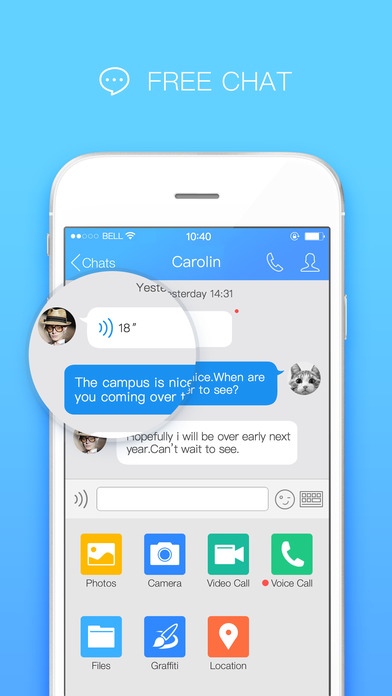
Stay in touch with your loved ones, find new friends, do business... and translate all chats. With one billion registered users in 80 countries, QQ is one of the most popular communication apps in history. More than 100 million people logged in at any time and endless opportunities that will unfold at your fingertips.
Video calls, voice chats, and rich texting. Overcome language barriers with the built-in translator and share photos with friends.
Join the largest chat community in the world, try QQ today!
Voice Chat - Tired of typing? Send a voice message to your friends and save plenty of time
Video Chat - The best way to cut down distances! QQ offers high-quality, free video calls between users
Qzone - Don t keep your best moments for yourself: sharing is caring, and Qzone makes it easier
Multi-user Discussions - Create multiuser chats on the fly and stay in touch with your friends wherever you are
Multi-device Sharing - Manage and transfer files across your QQ-connected devices
File Transfers - Sharing media and documents with your QQ contacts is a breeze
Phone Book - Find your friends and be found through your phone contacts
Contacts Management - Arrange and organize your contacts into categories (e.g. family, work )
Group Assistant - Too many group messages? Group Assistant handles them for you
Message Roaming - Access your QQ chat history and recent messages from all your devices
Requires iOS 7.0 or later. Compatible with iPhone, iPad, and iPod touch.
About QQ International
The company that develops QQ International is Tencent Mobile International Limited. The latest version released by its developer is 4.8.0. This app was rated by 2 users of our site and has an average rating of 4.5.
To install QQ International on your iOS device, just click the green Continue To App button above to start the installation process. The app is listed on our website since 2013-12-31 and was downloaded 192 times. We have already checked if the download link is safe, however for your own protection we recommend that you scan the downloaded app with your antivirus. Your antivirus may detect the QQ International as malware if the download link is broken.
How to install QQ International on your iOS device:
- Click on the Continue To App button on our website. This will redirect you to the App Store.
- Once the QQ International is shown in the iTunes listing of your iOS device, you can start its download and installation. Tap on the GET button to the right of the app to start downloading it.
- If you are not logged-in the iOS appstore app, you'll be prompted for your your Apple ID and/or password.
- After QQ International is downloaded, you'll see an INSTALL button to the right. Tap on it to start the actual installation of the iOS app.
- Once installation is finished you can tap on the OPEN button to start it. Its icon will also be added to your device home screen.
